What is Agent Browser?
Agent Browser is a browser automation CLI designed for AI agents. It exposes page snapshots, stable references and browser commands so an agent can reproduce interface interactions from scripts.
Edited by AhaFrame · Definition source: Official project ↗
How it works
Agent Browser provides a CLI for browser actions in agent workflows. Real browser assertions and isolation are more reliable than trusting a textual success response.
Core features
Command-line browser navigation
Accessibility snapshots and element references
Clicks, form input and screenshots
Native CLI with configurable browser sessions
Feature reference: Official documentation ↗
What can you use it for?
- Give a coding agent reproducible UI inspection
- Run a browser smoke flow from a terminal
- Capture screenshots and structured interaction evidence
Your first guided walkthrough
A supported platform and Chrome/compatible browser. Source builds have additional Node.js and Rust requirements.
A local test site and a disposable browser session.
- Check supported installation and session lifecycle commands in the repository docs.
- Open a known page and inspect visible elements.
- Perform a simple button or form action, then verify URL or DOM changes.
- Close the session and ensure cookies and state are not reused unintentionally.
Open a sandboxed page with one button and assert the counter increments.
EXPECTED RESULT · VERIFY INDEPENDENTLYA repeatable interaction with captured evidence and clean teardown.
Editorial guide authored: 2026-10-27. See the bounded hands-on record below for actual observations.
What did we actually verify?
Tested version: 0.28.0 ·
Open a login-free local form, inspect its accessible controls, submit an empty value, then fill a project name and verify the submitted result.
Observed result: The CLI exposed the named input and button. Filling “AhaFrame trial” and clicking submit produced “Ready to review: AhaFrame trial”; the screenshot and raw CLI output are available below.
Negative case and limits: An empty submission produced “Enter a project name.” Chrome download timed out in this environment, so this trial used an explicit installed Chrome executable. It did not test a model-driven browser agent or a logged-in website.
Environment: macOS ARM64, Node 24.15.0, Chrome 156.0.8078.80. Local fixtures only, with no model calls. These observations are not a performance ranking or a cost-saving claim.
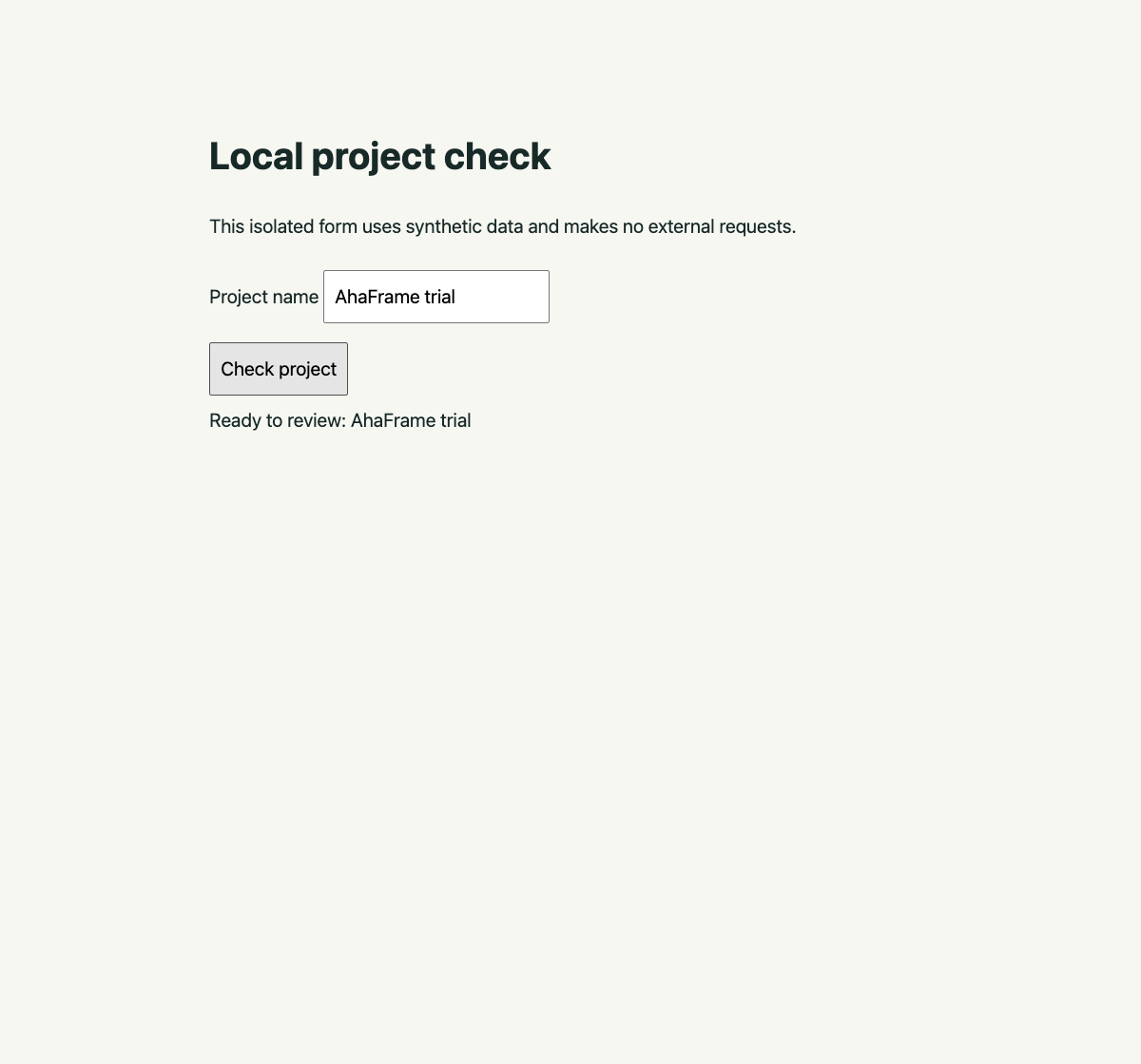
Raw CLI and MCP transcript ↗Environment, scope and file hashes ↗
Pricing & running costs
Apache-2.0 CLI software. Model usage and optional remote browser services are separate.
Check official pricing details ↗Pricing checked 2026-10-27. Confirm currency, billing period, included usage and taxes on the official page.
License & limitations
License applies to this project; connected models and services have separate terms.
- A browser profile can contain sensitive login sessions.
- Snapshot references must be refreshed after relevant page changes.
Frequently asked questions
Is this the same as a hosted browser service?
No. It is a CLI; hosted infrastructure is a separate choice.
Do I have to build from source?
No. The project documents packaged native installation options.
Official links & sources
Based on the official sources above. Use cases are editorial examples; source checks are not independent functional tests.
Open upstream repository ↗