What is Playwright MCP?
Playwright MCP exposes browser automation to MCP-capable agents. It primarily presents structured accessibility snapshots so agents can inspect pages and interact with controls without relying only on screenshots.
Edited by AhaFrame · Definition source: Official project ↗
How it works
Playwright MCP exposes browser automation to agents through MCP. It must be bounded by allowed sites, authentication policy and observable assertions.
Core features
Browser navigation and structured page snapshots
Element interaction through an MCP interface
Persistent browser context for iterative workflows
Configurable browser and client connection options
Feature reference: Official documentation ↗
What can you use it for?
- Reproduce a multi-step browser interaction
- Inspect a live interface with an agent
- Run exploratory UI checks against a test site
Your first guided walkthrough
Node.js 18+ and an MCP-capable client, according to the reviewed README.
A local login-free test page and an MCP-compatible agent.
- Review the official MCP server setup, permissions and browser isolation options.
- Give the agent only the local test URL and a simple UI goal.
- Capture actions, screenshots and actual DOM state after each step.
- Break a selector or delay a response and verify the agent reports failure.
Fill a local feedback form, submit, then verify the success message really appears.
EXPECTED RESULT · VERIFY INDEPENDENTLYA reproducible browser-test trace with real assertions.
Editorial guide authored: 2026-10-27. See the bounded hands-on record below for actual observations.
What did we actually verify?
Tested version: 0.0.84 ·
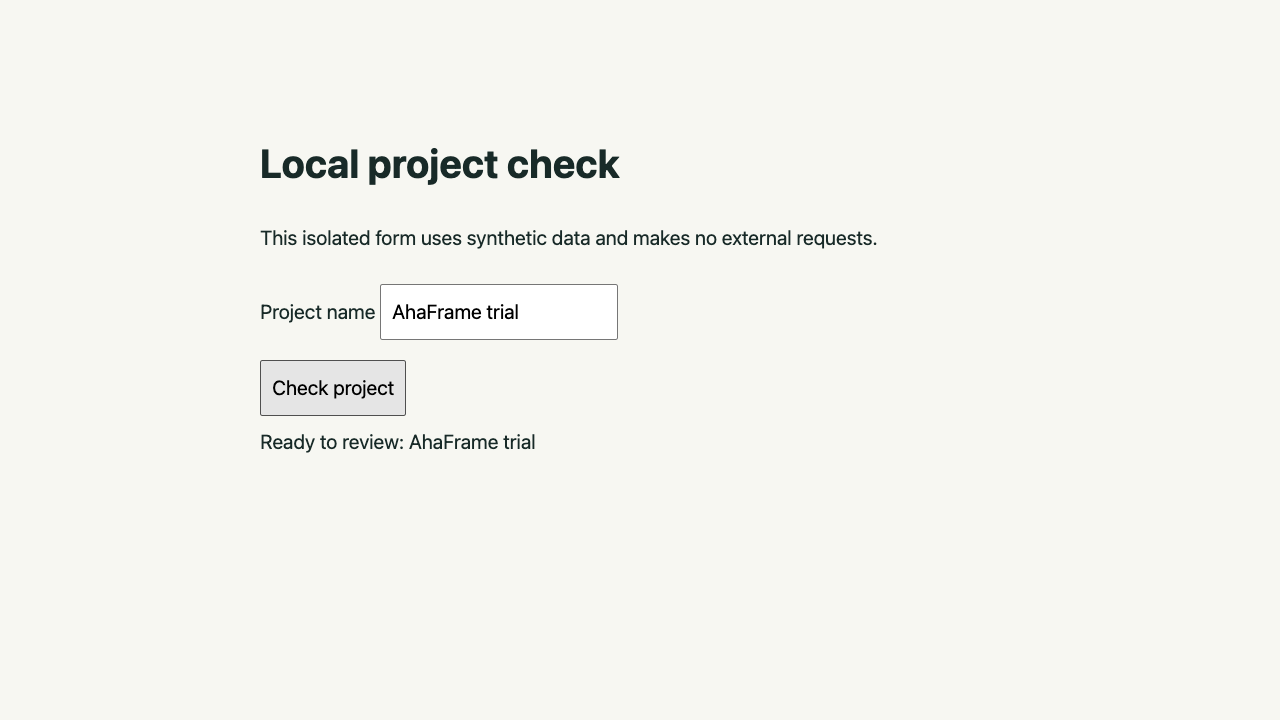
Connect over stdio, discover tool schemas, navigate to the same local form, fill and submit it, and check snapshots and a screenshot.
Observed result: The MCP tool sequence navigated, filled the named textbox and clicked the submit button; the visible result matched the expected project name. In this version, element references are passed as target, not the older ref argument.
Negative case and limits: An empty form displayed a validation message, and a deliberately absent element reference returned an error. This was an isolated browser-tool test, not a test of autonomous planning, external authentication or production reliability.
Environment: macOS ARM64, Node 24.15.0, Chrome 156.0.8078.80. Local fixtures only, with no model calls. These observations are not a performance ranking or a cost-saving claim.
Raw CLI and MCP transcript ↗Environment, scope and file hashes ↗
Pricing & running costs
Apache-2.0 server software. Your agent/model and any hosted browser infrastructure are separate.
Check official pricing details ↗Pricing checked 2026-10-27. Confirm currency, billing period, included usage and taxes on the official page.
License & limitations
License applies to this project; connected models and services have separate terms.
- Browser sessions can expose cookies and logged-in account state.
- Accessibility snapshots may not capture every visual or canvas interaction.
Frequently asked questions
Does it require a vision model?
Its primary interaction model uses structured accessibility snapshots.
Is MCP always the best option for a coding agent?
The README also points coding agents to Playwright CLI plus skills; choose by workflow needs.
Official links & sources
Based on the official sources above. Use cases are editorial examples; source checks are not independent functional tests.
Open upstream repository ↗